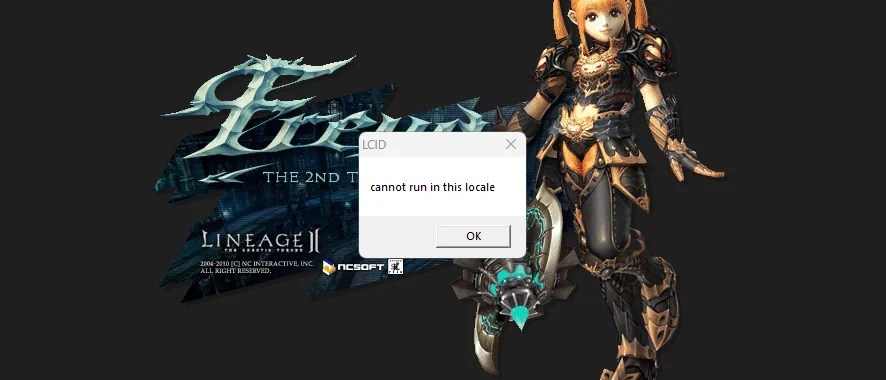
LCID Fix
The game opens correctly in any region.
Fixes the locale error that prevents some Lineage 2 installations from starting under incompatible regional settings.
Crash Monitor
Track crashes and speed up support.
Gathers information about critical errors to make recurring problems easier to identify and help your team provide faster support.
Interlude Fix
More stability for the most beloved chronicle.
Reduces interruptions caused by a known Interlude bug, so your players enjoy more stable sessions and your team handles fewer support requests about the same problem.
Various Optimizations
ClearCache, NoSleep, MemoryOptimizer, LAA and more.
We optimize cache management and memory usage, improve responsiveness when switching windows, expand the client's capacity for more stable sessions, and apply many other optimizations.
Saved Accounts
Less friction to get into the game.
Players can save and select accounts on the login screen to sign in faster the next time they play.
Performance Bar
See FPS, ping and memory usage at a glance.
Players can monitor performance and connection quality in an unobtrusive in-game bar. They can move or collapse the bar and choose which metrics to display.
FPS Limiter
Resource usage under control, even in the background.
Set separate FPS limits for the active and inactive window, reducing unnecessary CPU and GPU usage.
Window Renamer
The title your way.
Customize the game window title however you like. You can add the server name, website or any other information.
Discord Rich Presence
Show your server on Discord, where your community already gathers.
Show the server name, status and session details right on the player's Discord profile.
Block Loop Macro
More control over repetitive automation.
Lets you prevent macros set to repeat continuously, preserving the expected behavior of the server.
Copy, Cut and Paste
Ctrl+C, Ctrl+X and Ctrl+V
Enables the copy, cut and paste shortcuts in supported game fields, even in older chronicles.
Block VM
Virtual machines stay out of your server.
Blocks the game from running in detected virtualized environments.
HWID History
Machine history for safer decisions.
Keeps a history of the Hardware IDs used, helping your team spot suspicious behavior and tell players apart.